
iLeasePro V2 Product Updates
Follow our progress as we build the next generation of the Lease Intelligence Platform. Watch video walkthroughs of every new page, feature, and improvement.
We believe in building in the open. Below you will find video walkthroughs of every iLeasePro V2 page as it comes to life. Each video showcases the design, functionality, and benefits of V2 — so you can see exactly what is coming and how it will transform your lease management workflow.
Portfolio Management
The core workspace for managing your entire lease portfolio — redesigned from the ground up for clarity, speed, and control.
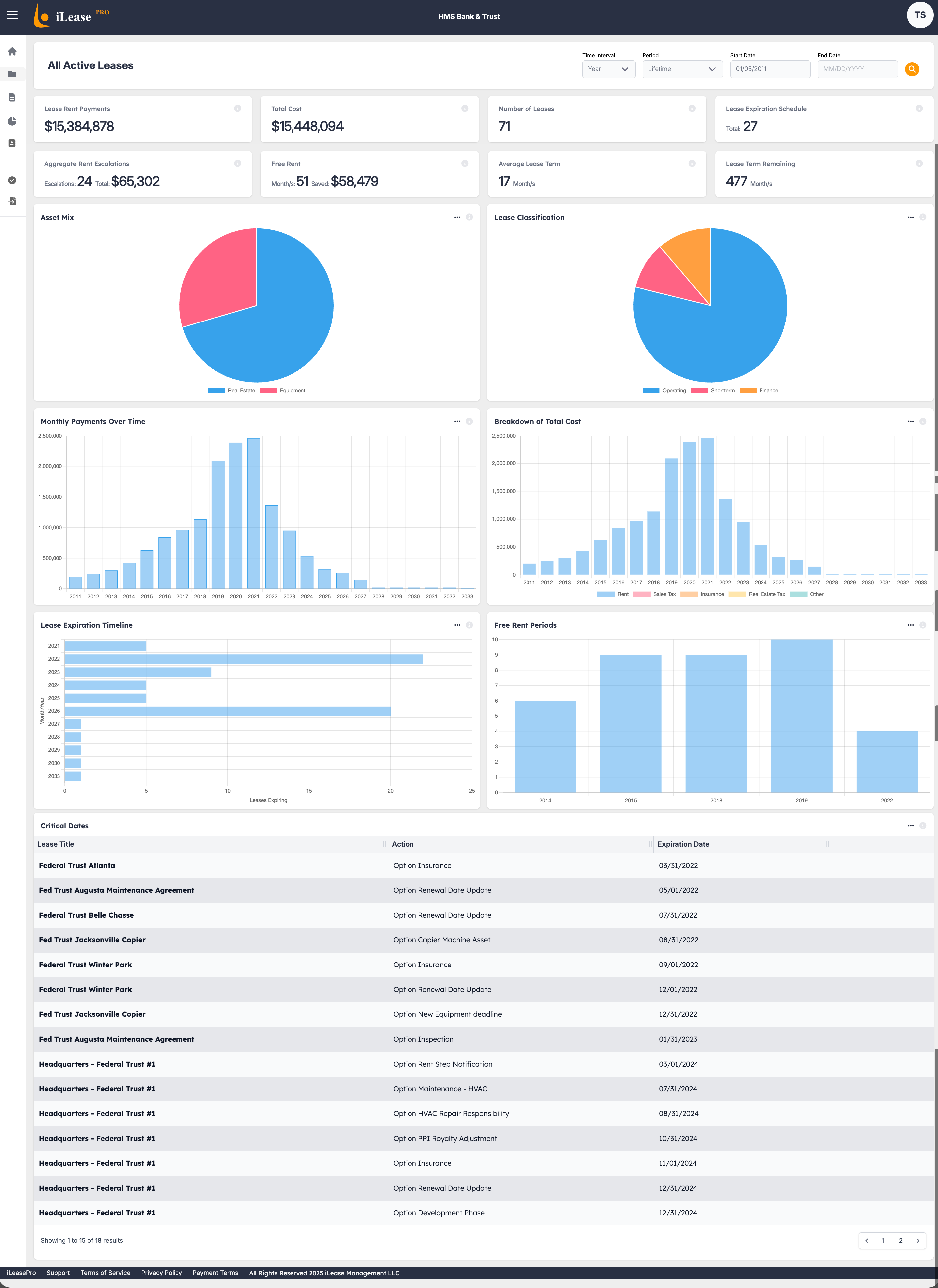
Dashboard
A reimagined command center with real-time portfolio health metrics, compliance status at a glance, and actionable insights to start your day.
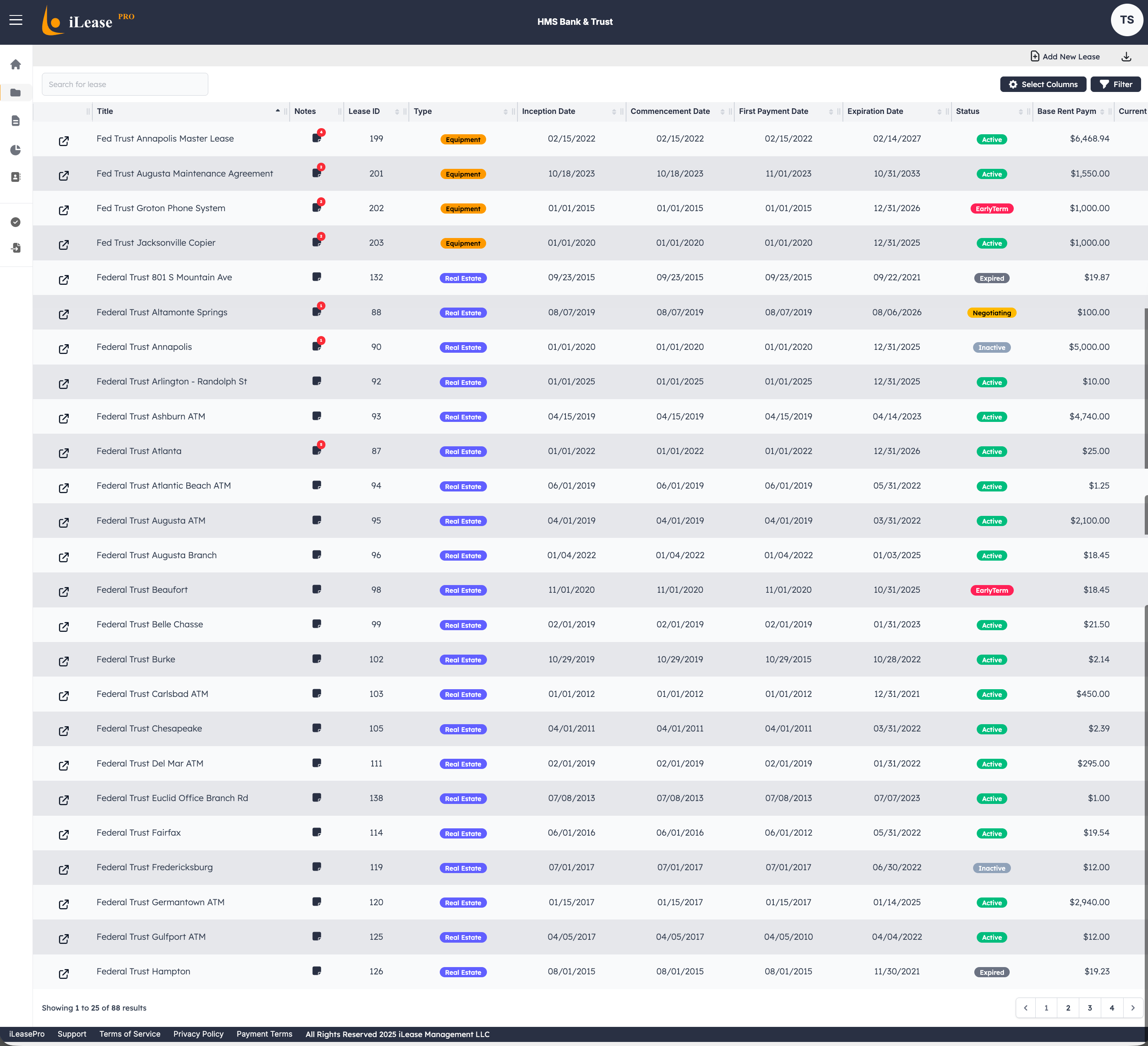
Lease Listview
A powerful, filterable list of every lease in your portfolio with advanced sorting, inline status indicators, and quick-action controls for day-to-day management.
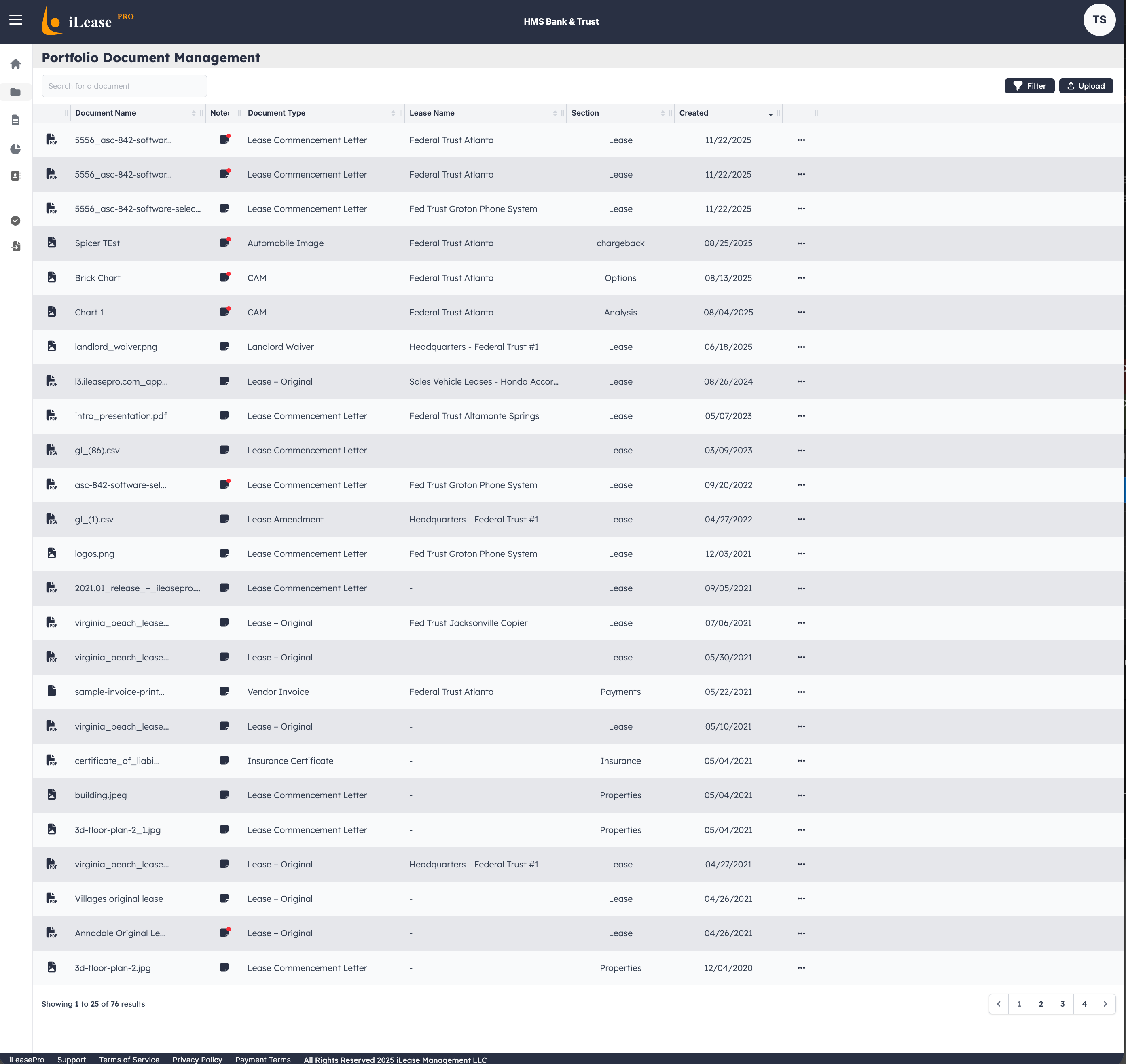
Documents
Centralized document management for lease agreements, amendments, and supporting files — organized, searchable, and always at your fingertips.
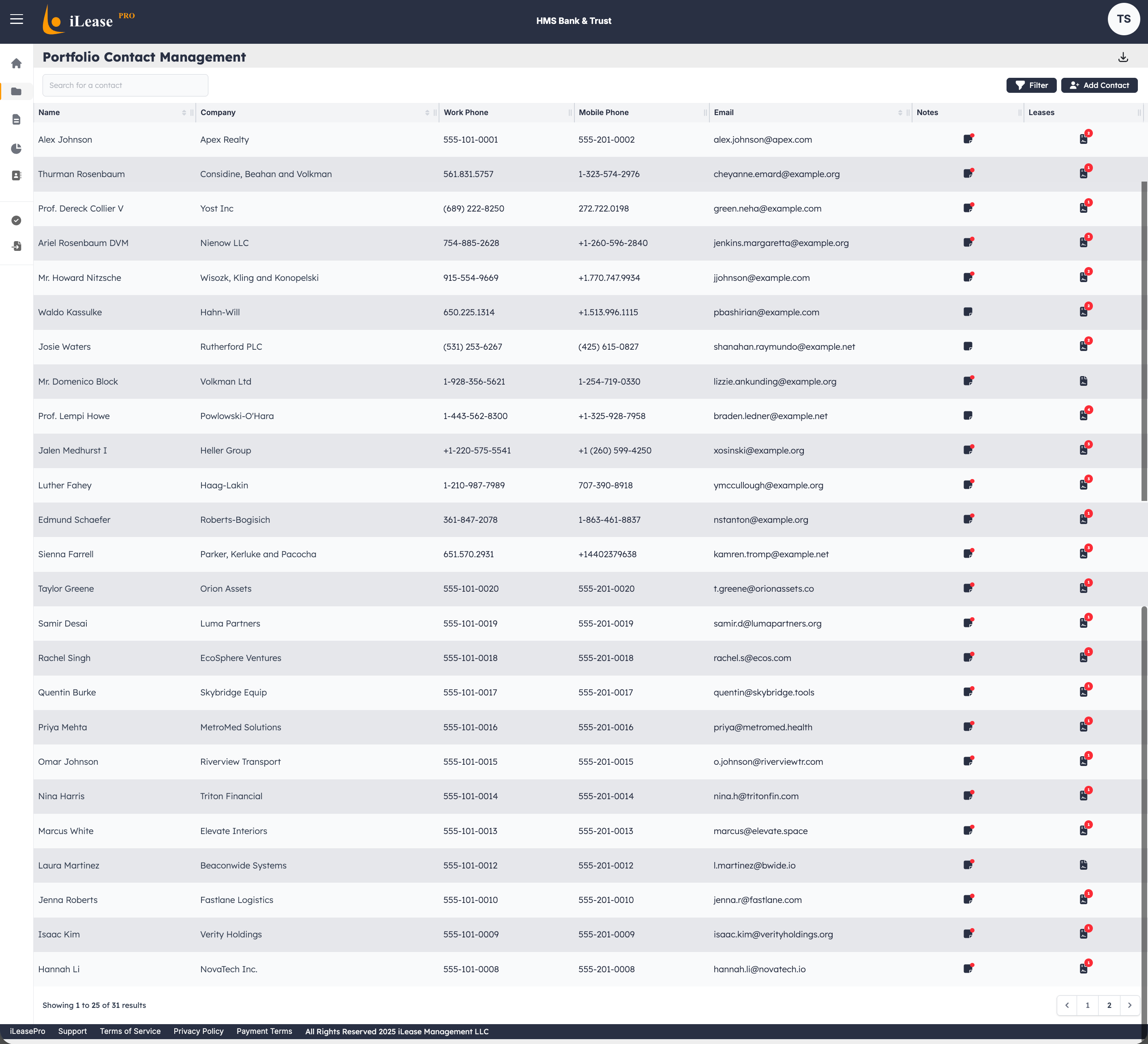
Contacts
A dedicated contacts hub to manage landlords, property managers, and key stakeholders associated with each lease — all linked and easy to reference.
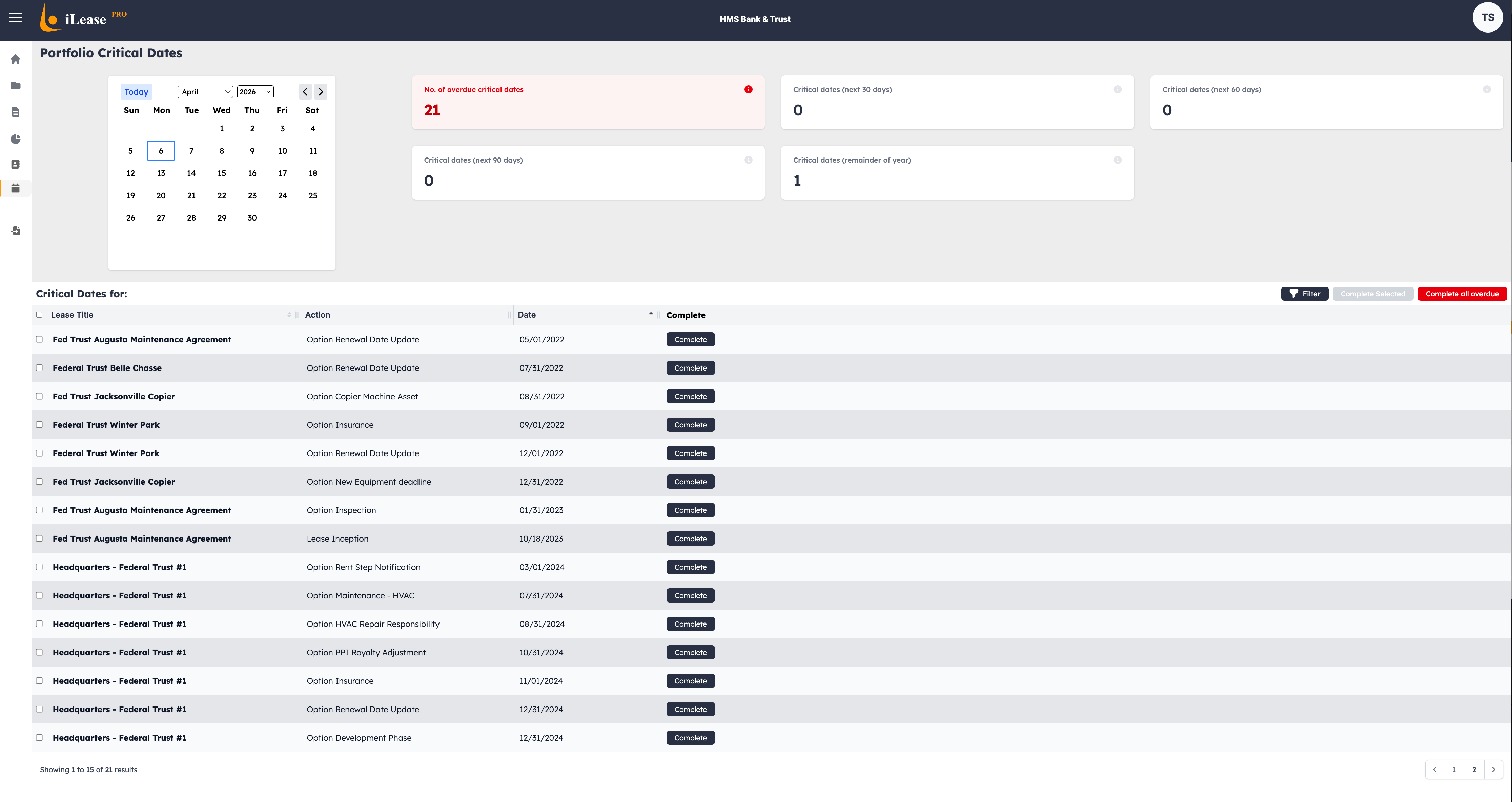
Critical Dates
Never miss a renewal, termination option, or escalation date again. A visual timeline of every critical date across your portfolio with automated alerts.
Admin Hub
The administrative backbone of iLeasePro V2 — configure, customize, and control every aspect of your lease accounting environment.
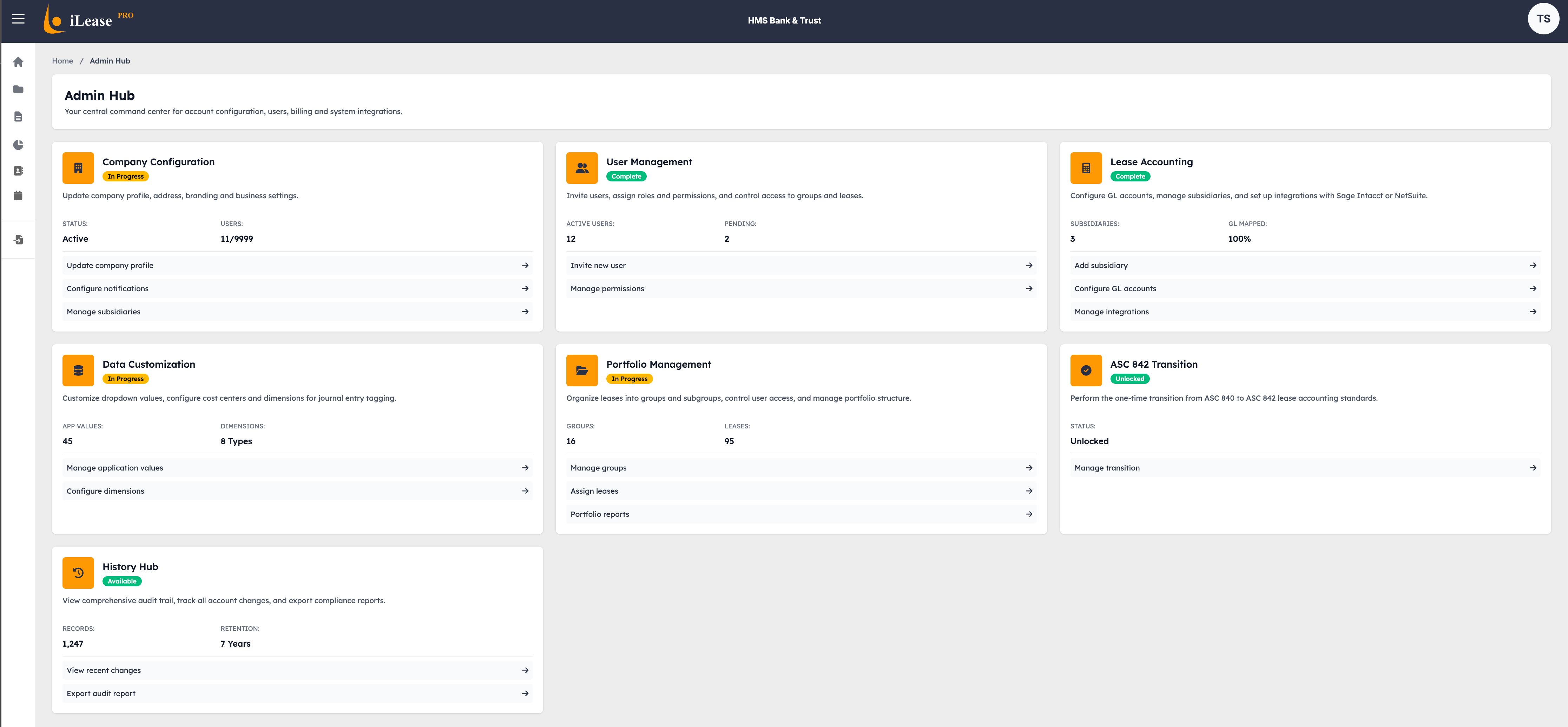
Admin Hub Landing
The central launchpad for all administrative functions — quick access to company configuration, user management, accounting settings, and every customization option in one organized view.
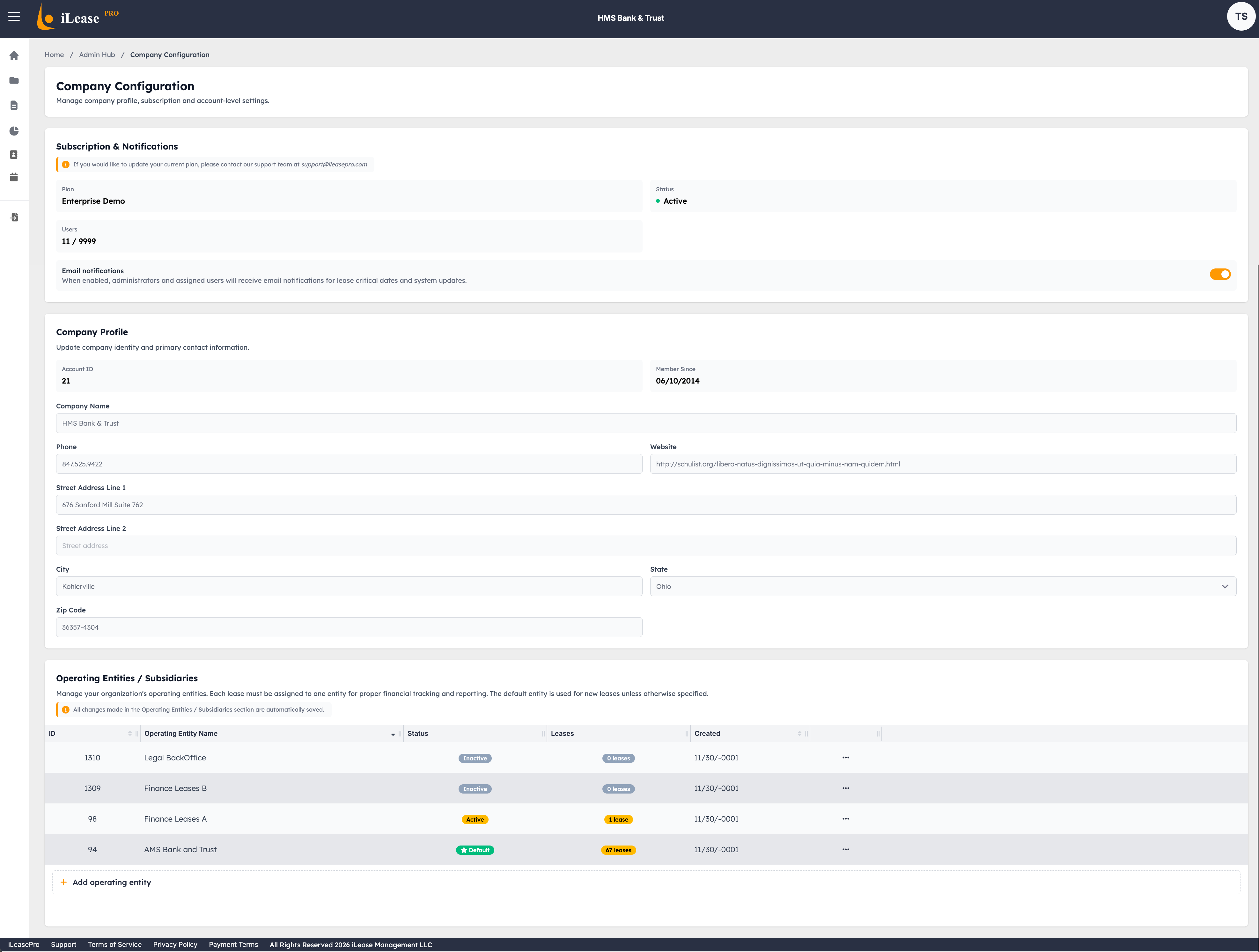
Company Configuration
Set up your organization profile, fiscal year settings, reporting currency, and entity structure — the foundation for accurate lease accounting.
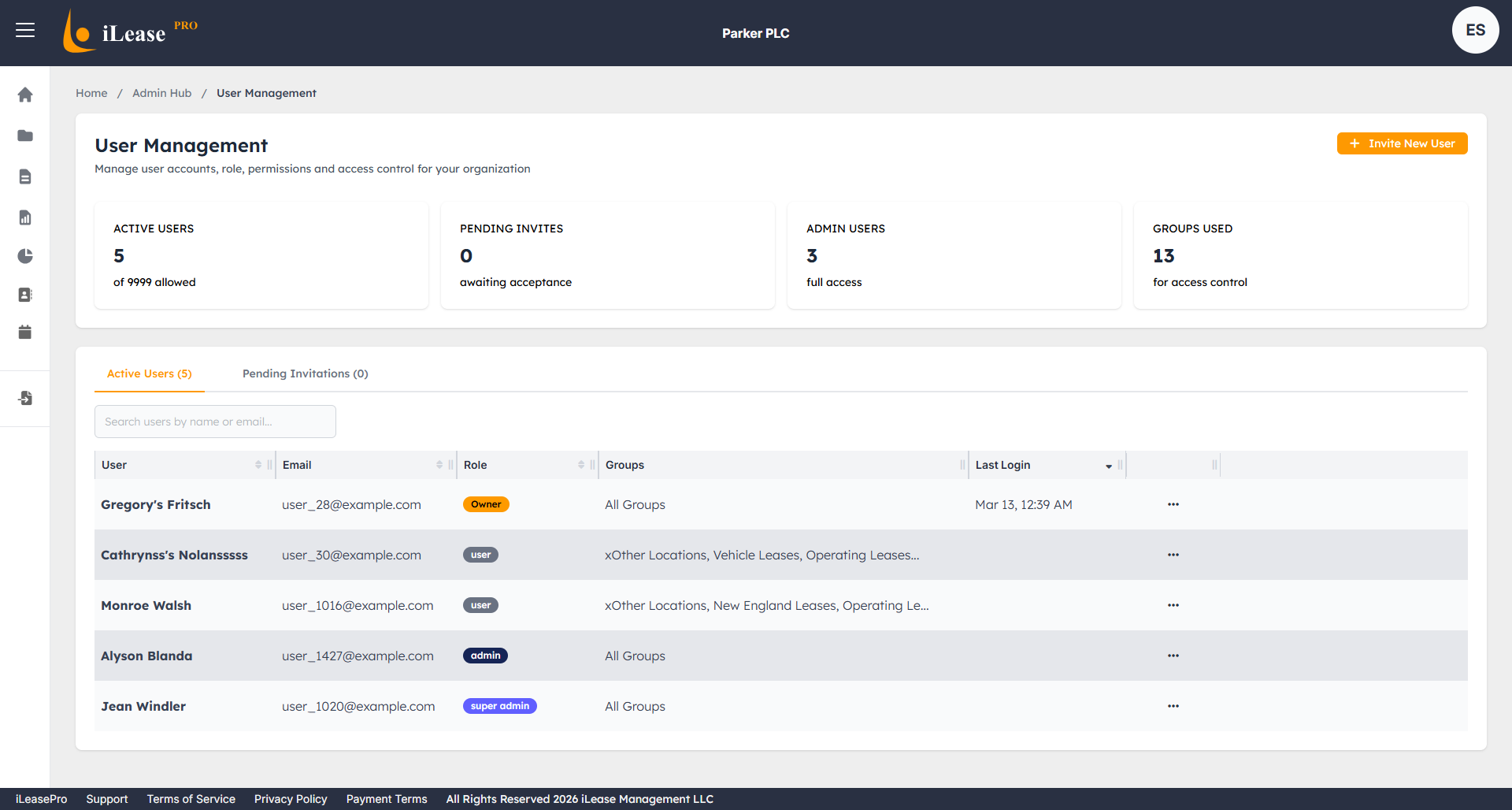
User Management
Role-based access controls, team invitations, and permission management — ensuring the right people have the right level of access.
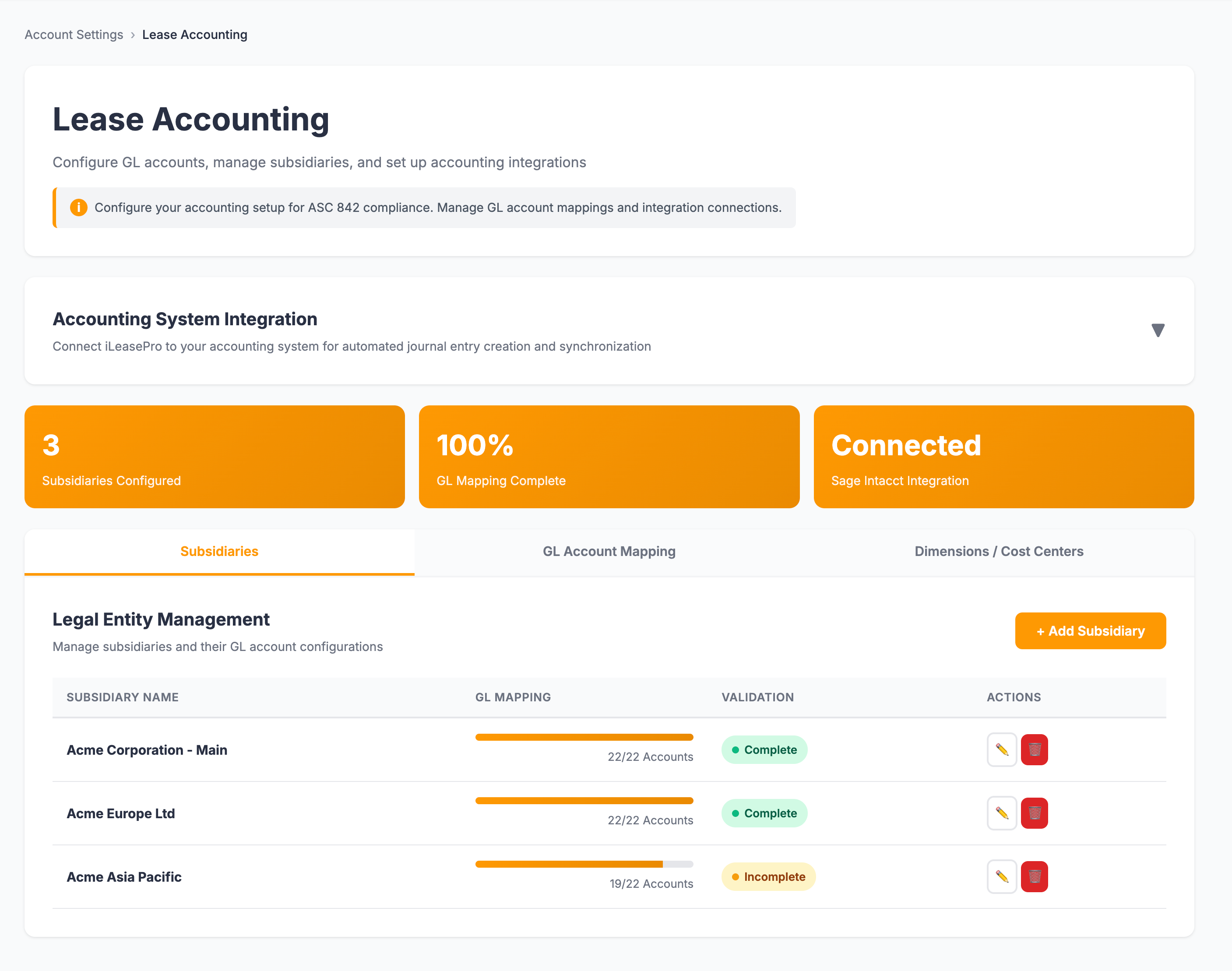
Lease Accounting
Configure ASC 842 accounting policies, classification defaults, incremental borrowing rates, and journal entry templates for your organization.
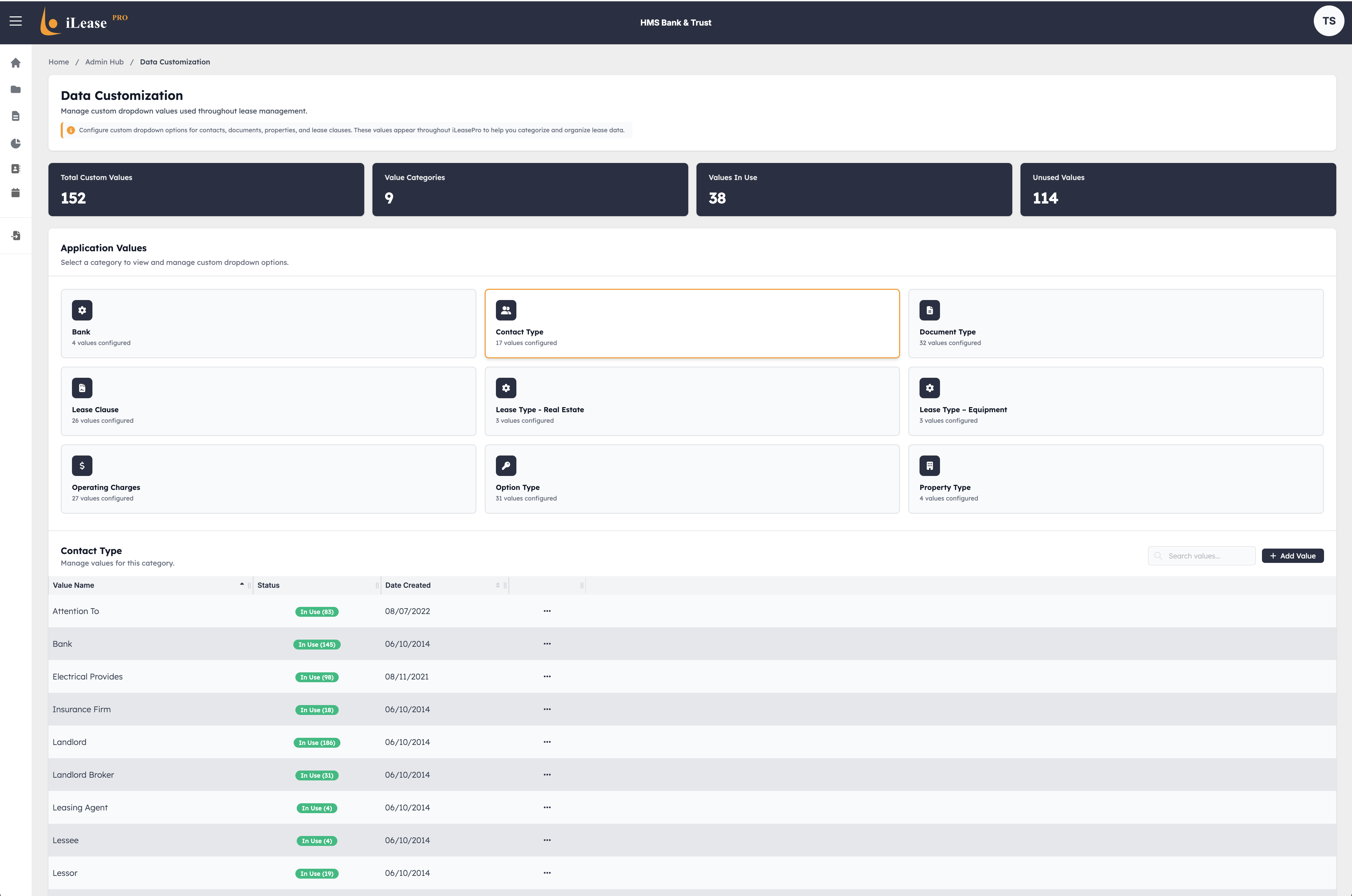
Data Customization
Define dropdown list values, and data categories that match your organization's unique lease portfolio and reporting requirements.
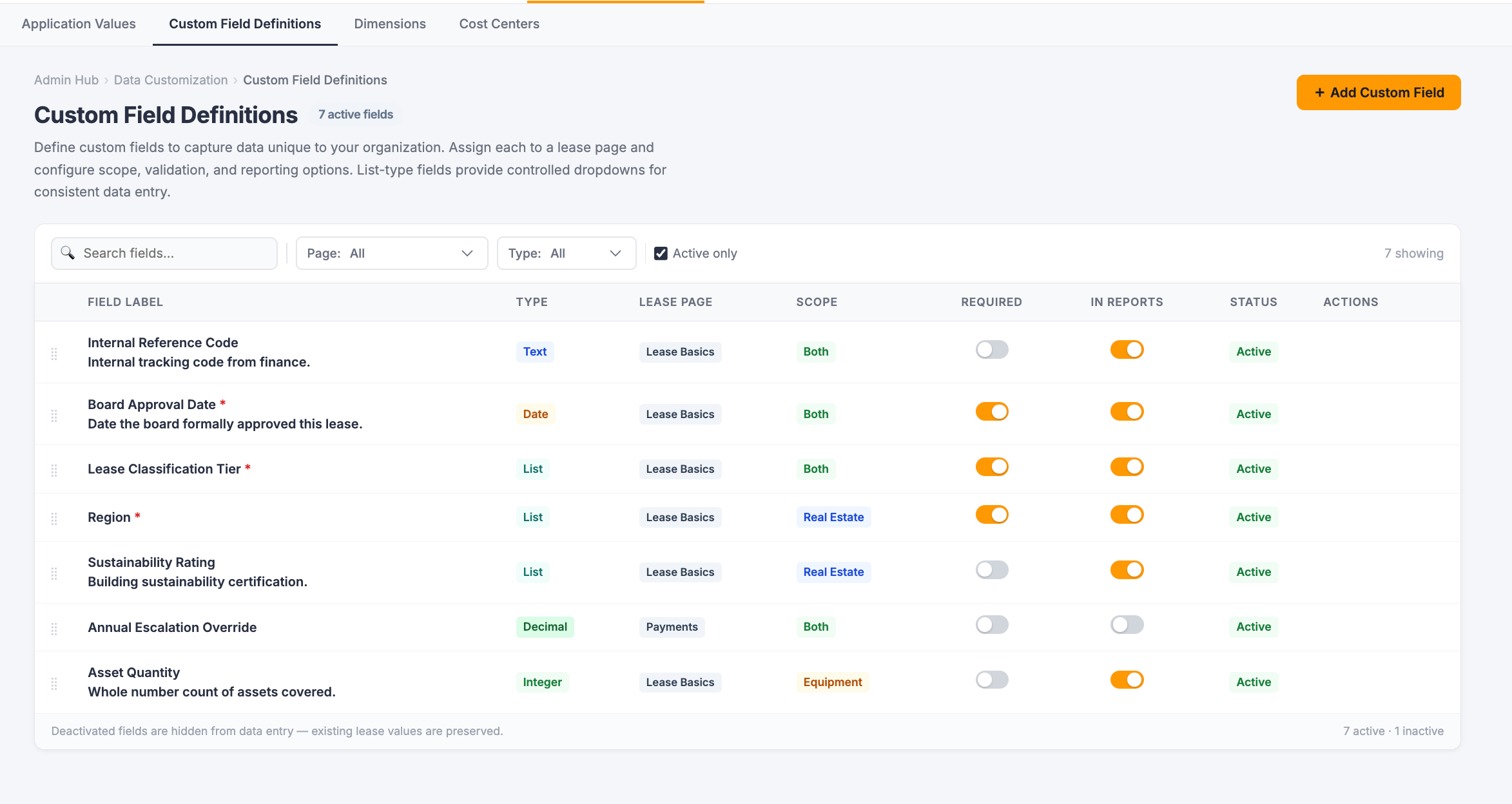
Custom Field Definitions
Define unlimited custom fields with configurable data types, target lease pages, lease type visibility, and display options — definitions cascade to every lease in the account with no per-lease configuration required.
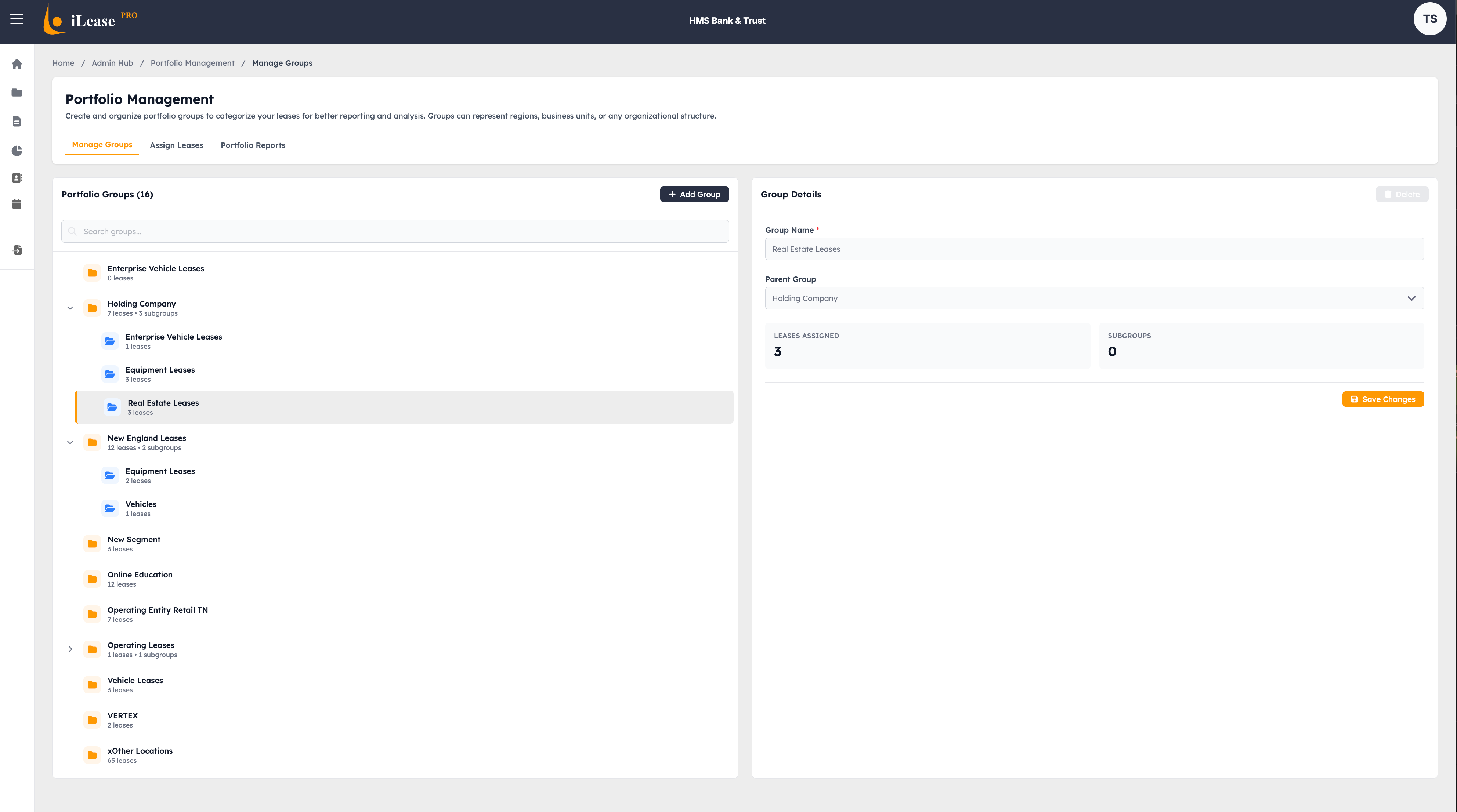
Portfolio Management
Administrative controls for portfolio structure — manage entities, locations, cost centers, and organizational groupings for multi-entity reporting.
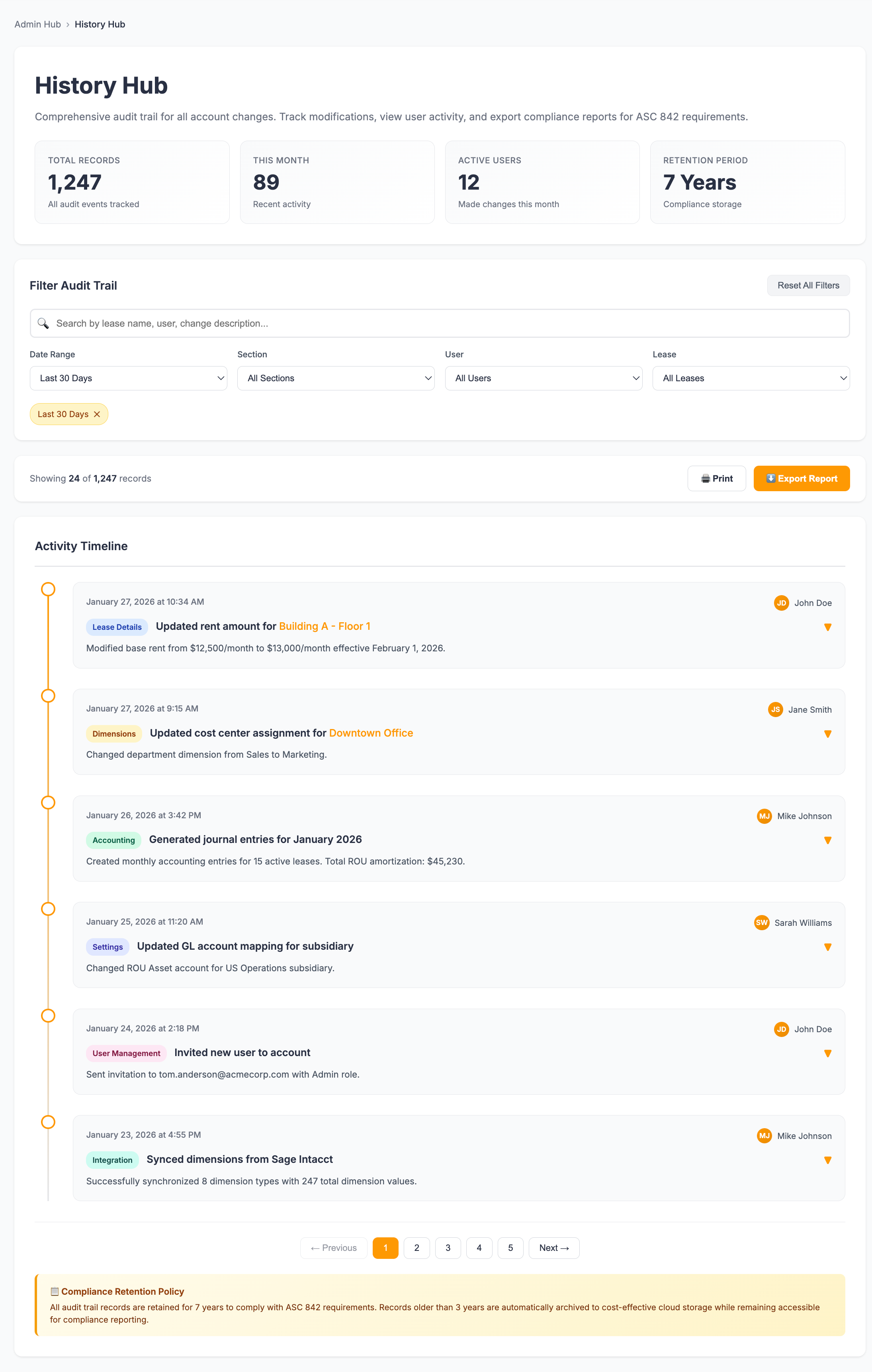
History Hub
A complete audit trail of every change, action, and event across your lease portfolio — who changed what, when, and why, all in one searchable timeline.
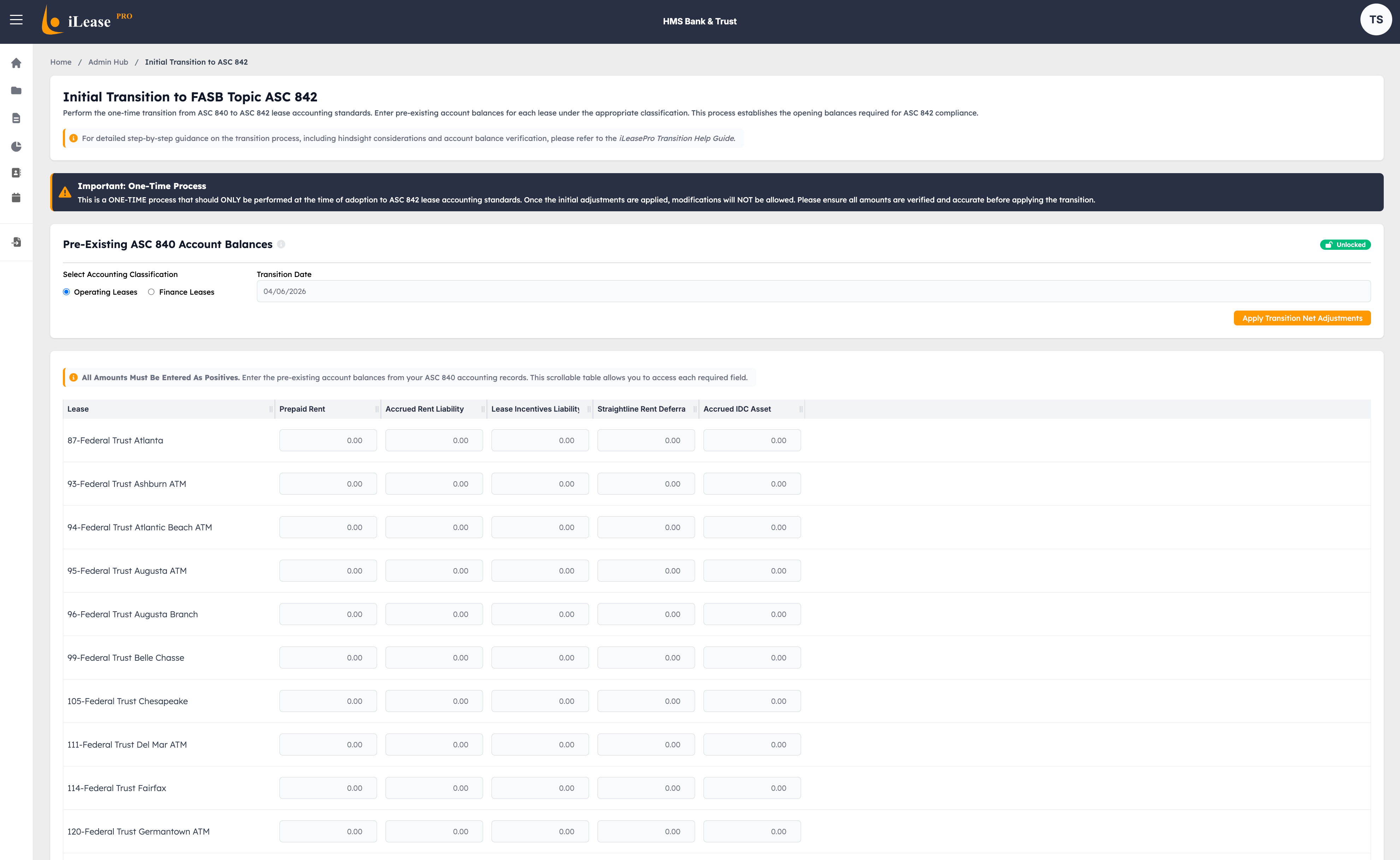
ASC 840 Transition
Tools and workflows to manage the transition from legacy ASC 840 data — migrate historical lease records and ensure continuity with the new standard.
Reporting Center
Powerful reporting tools to generate standard compliance reports and build fully custom reports tailored to your organization's needs.
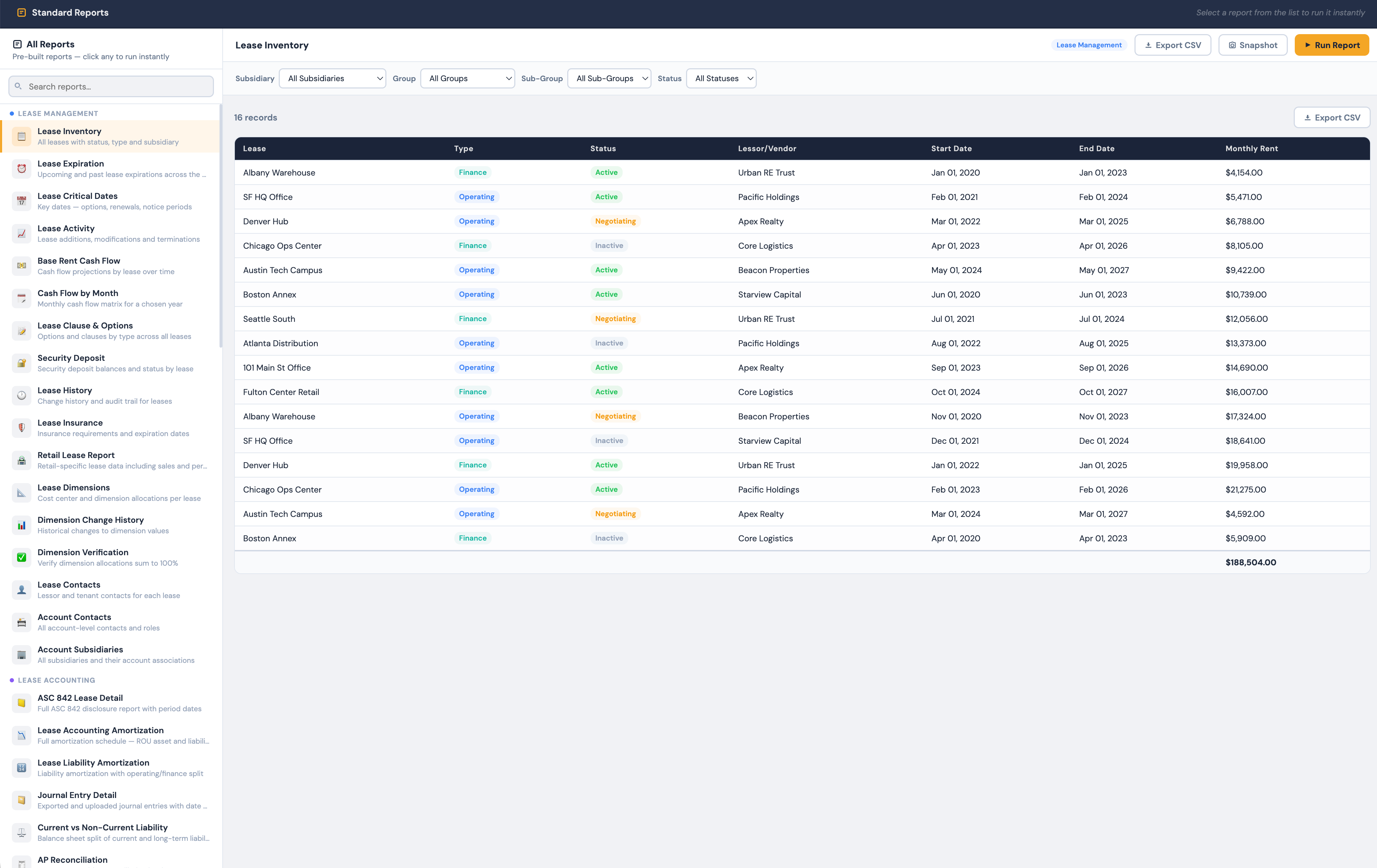
Standard Reports
A library of pre-built, audit-ready reports covering ASC 842 disclosures, amortization schedules, journal entries, lease summaries, and portfolio analytics — ready to run with one click.
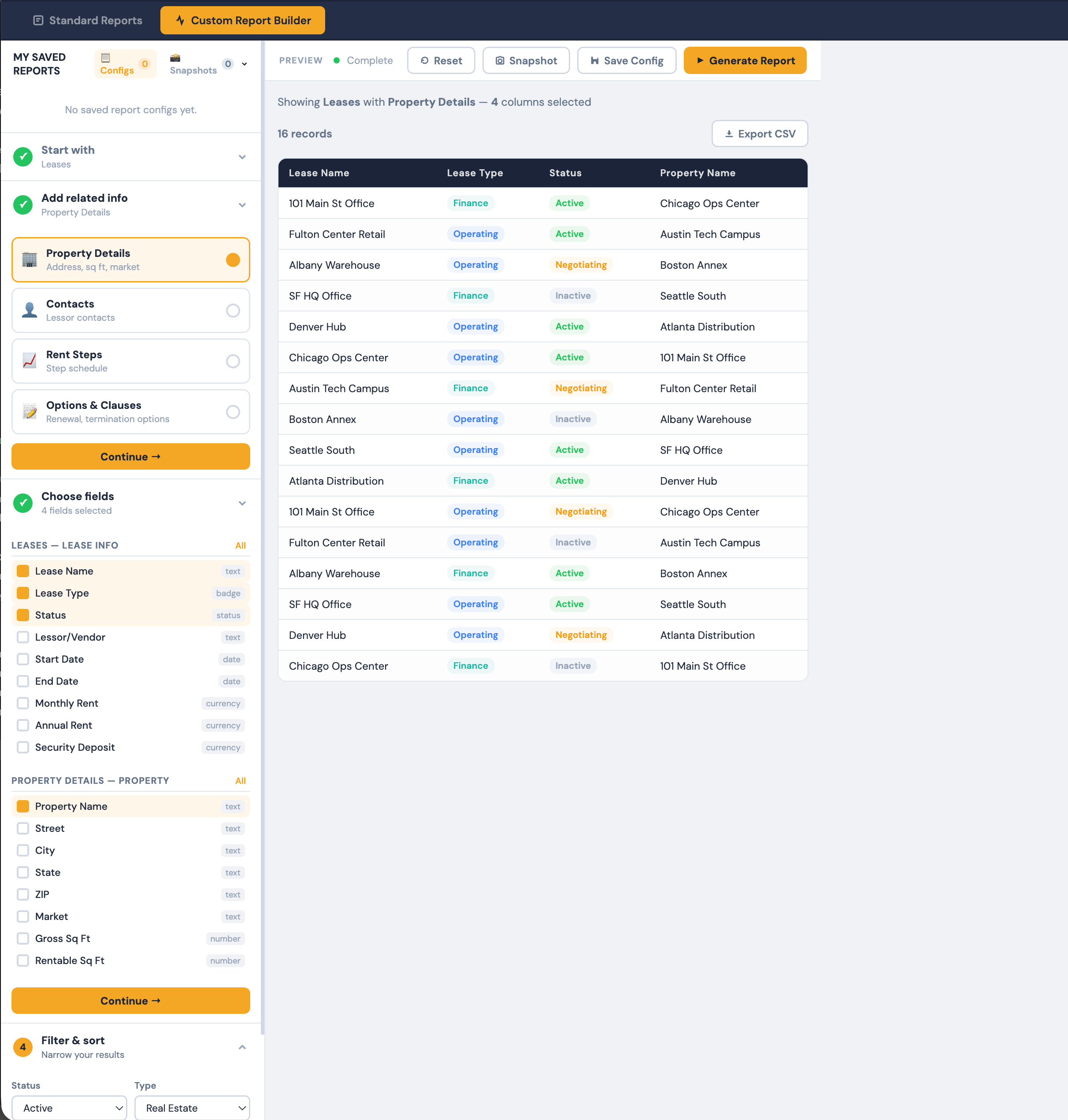
User Custom Report Builder
Build your own reports by selecting fields, applying filters, choosing groupings, and defining sort order — save templates for recurring use and export to Excel, PDF, or CSV.
Lease Data Entry Pages
The complete set of pages for entering, viewing, and managing every detail of an individual lease — from dashboard overview to deep financial analysis.
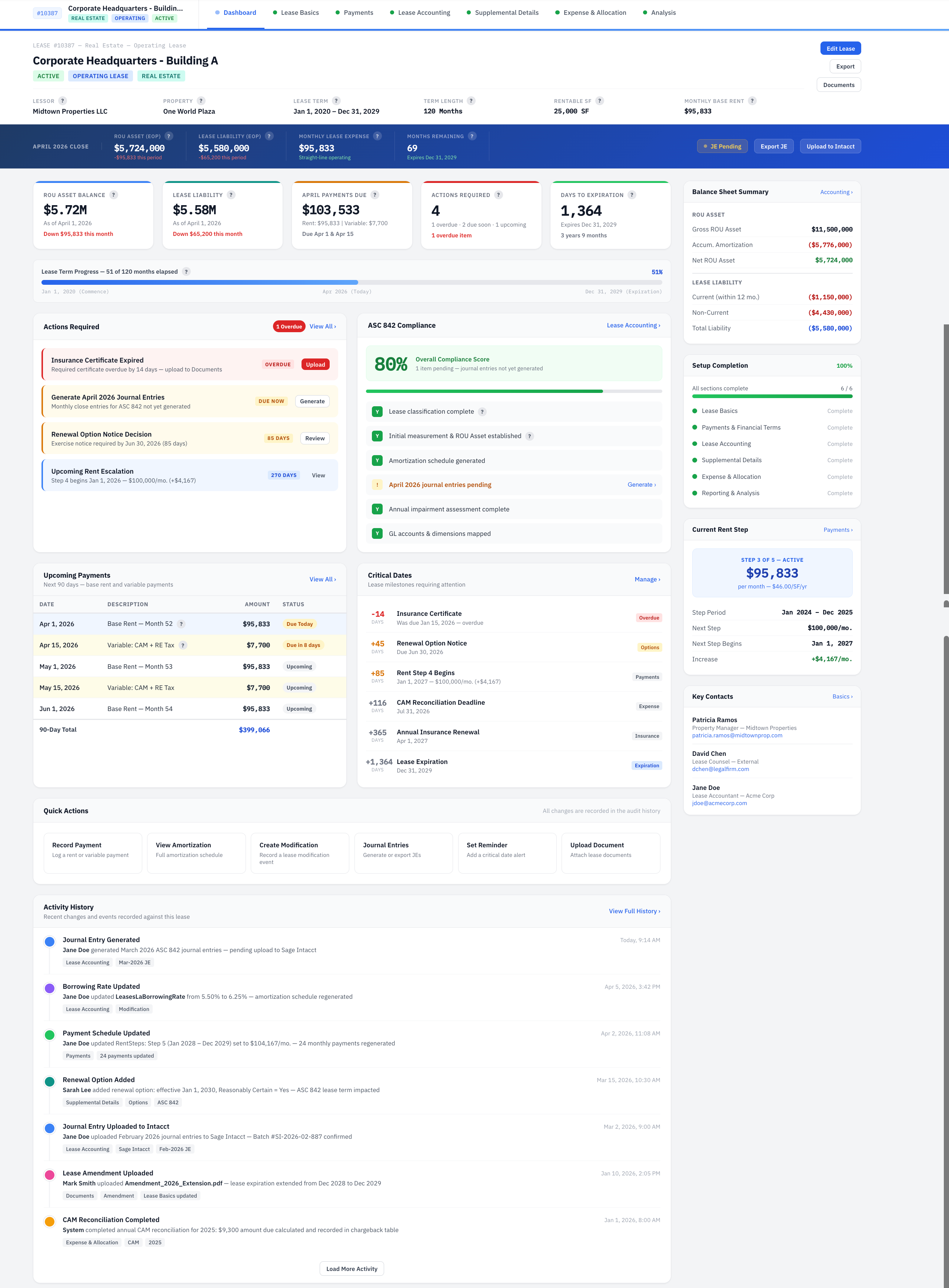
Lease Dashboard
At-a-glance overview of a single lease with KPI metric cards, Chart.js visualizations for liability rollforward and cost breakdowns, critical dates timeline, rent steps summary, upcoming events, and recent activity — plus quick actions for print, export, and notes.
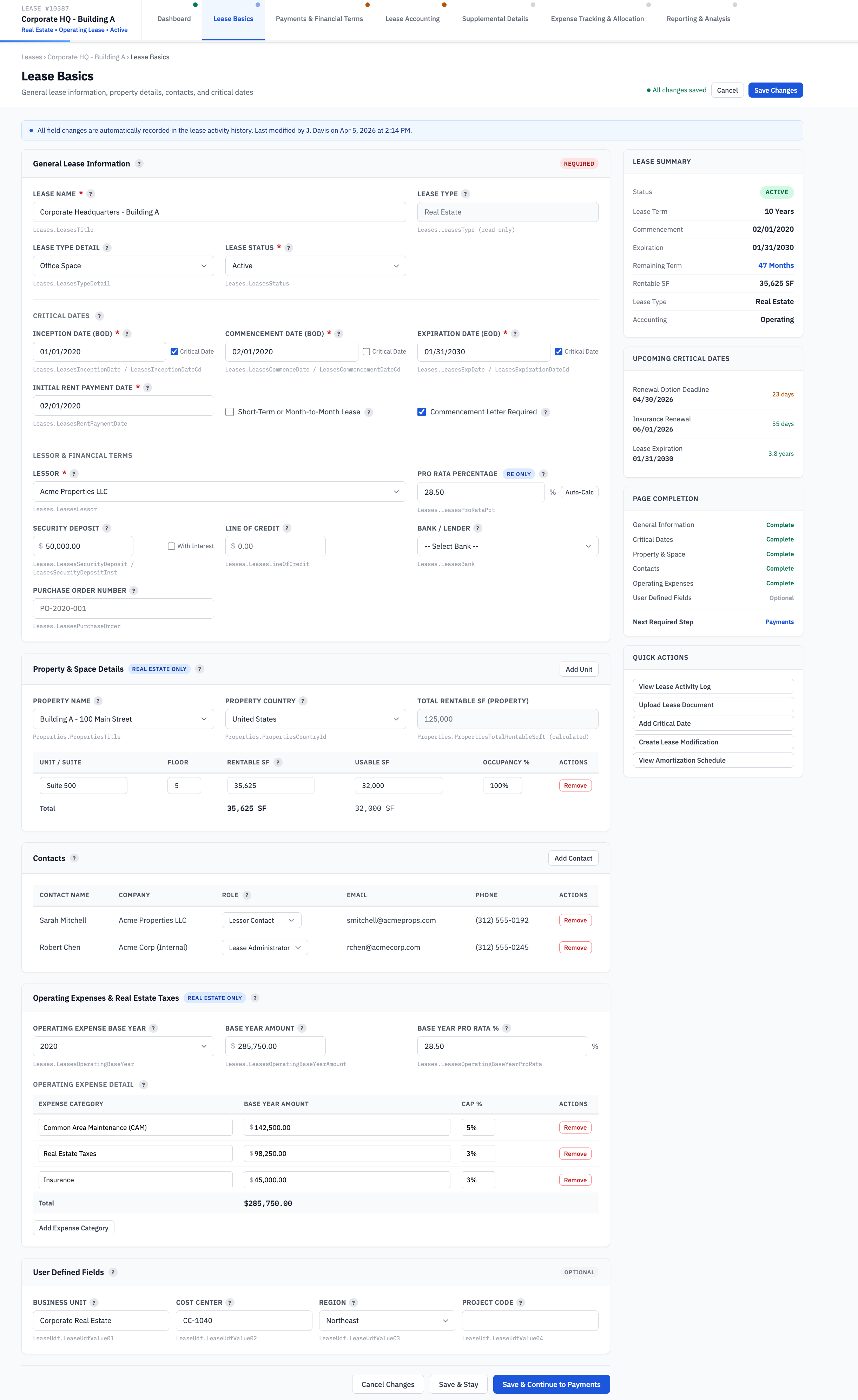
Lease Basics
Primary data-entry page for core lease identification, key dates with critical date star toggles, lessor details, and type-specific asset information — including operating expenses, property info, and unit details for Real Estate or equipment asset tables for Equipment leases.
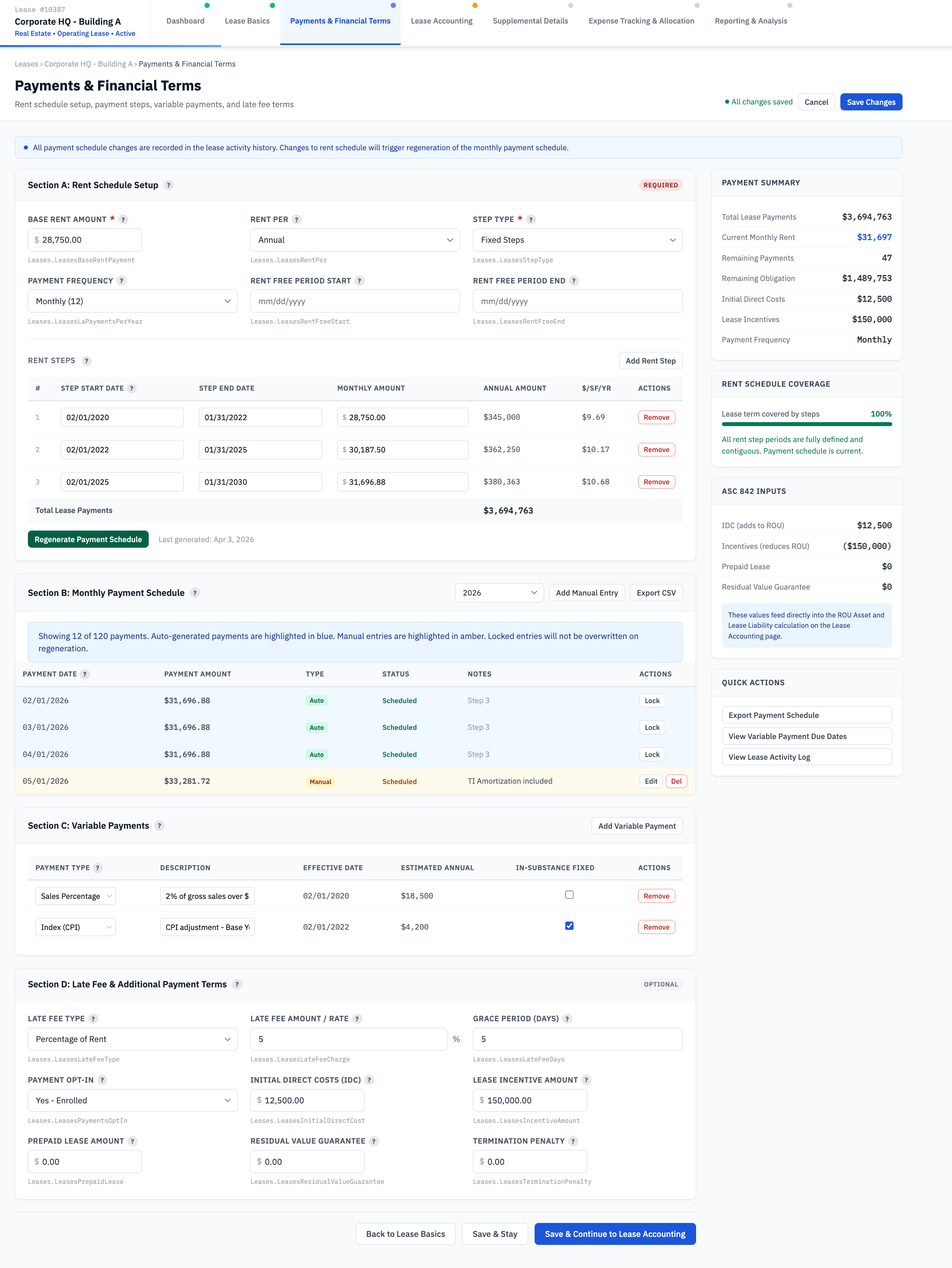
Payments & Financial Terms
Define rent structure, escalations, and financial provisions with tabbed navigation for base rent and escalations, Sage Intacct payment configuration, monthly payment schedules, variable payments, and additional terms like security deposits and late fees.
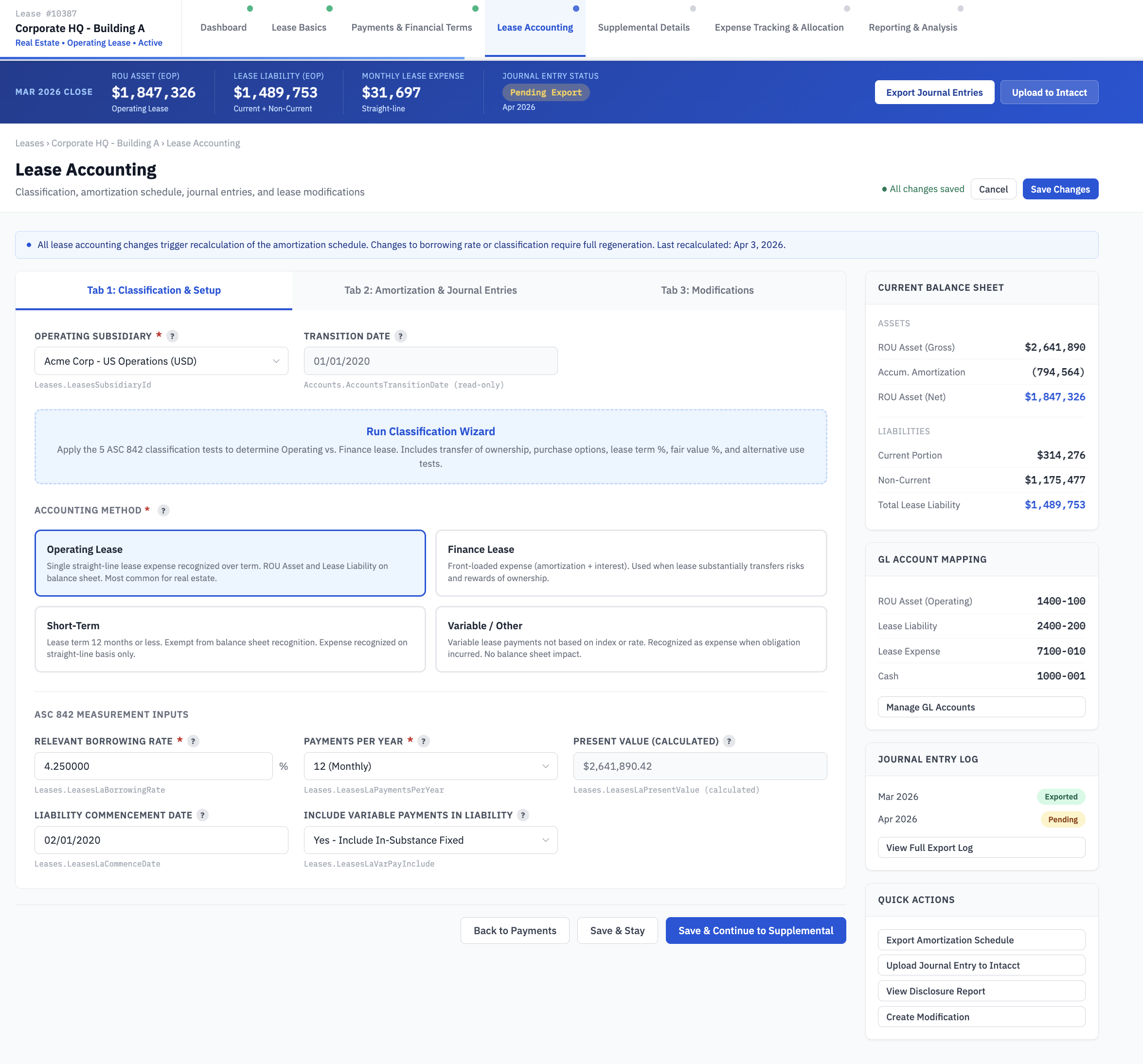
Lease Accounting
The ASC 842 compliance hub with 7-tab navigation — classification with the ASC 842 Wizard, amortization schedules, journal entry export, balance sheet and income statement rollforward views, lease modification history with gain/loss calculation, and sublease accounting.
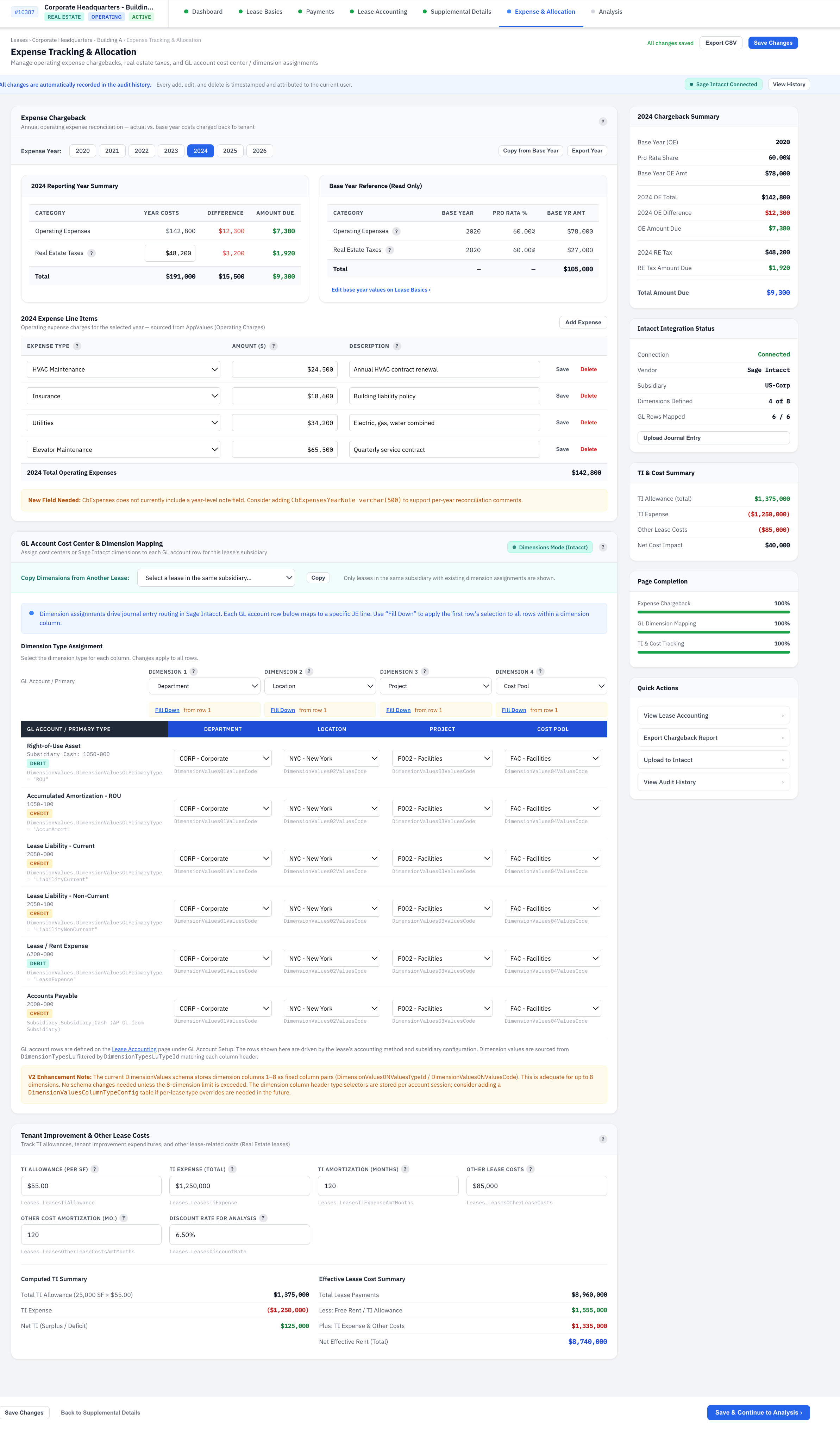
Expense & Allocation
Track and analyze base-year vs. current-year operating expenses for cost pass-through calculations — with KPI cards, year summaries, detailed expense line items, copy-from-base-year shortcuts, and print/export capabilities. Real Estate leases only.
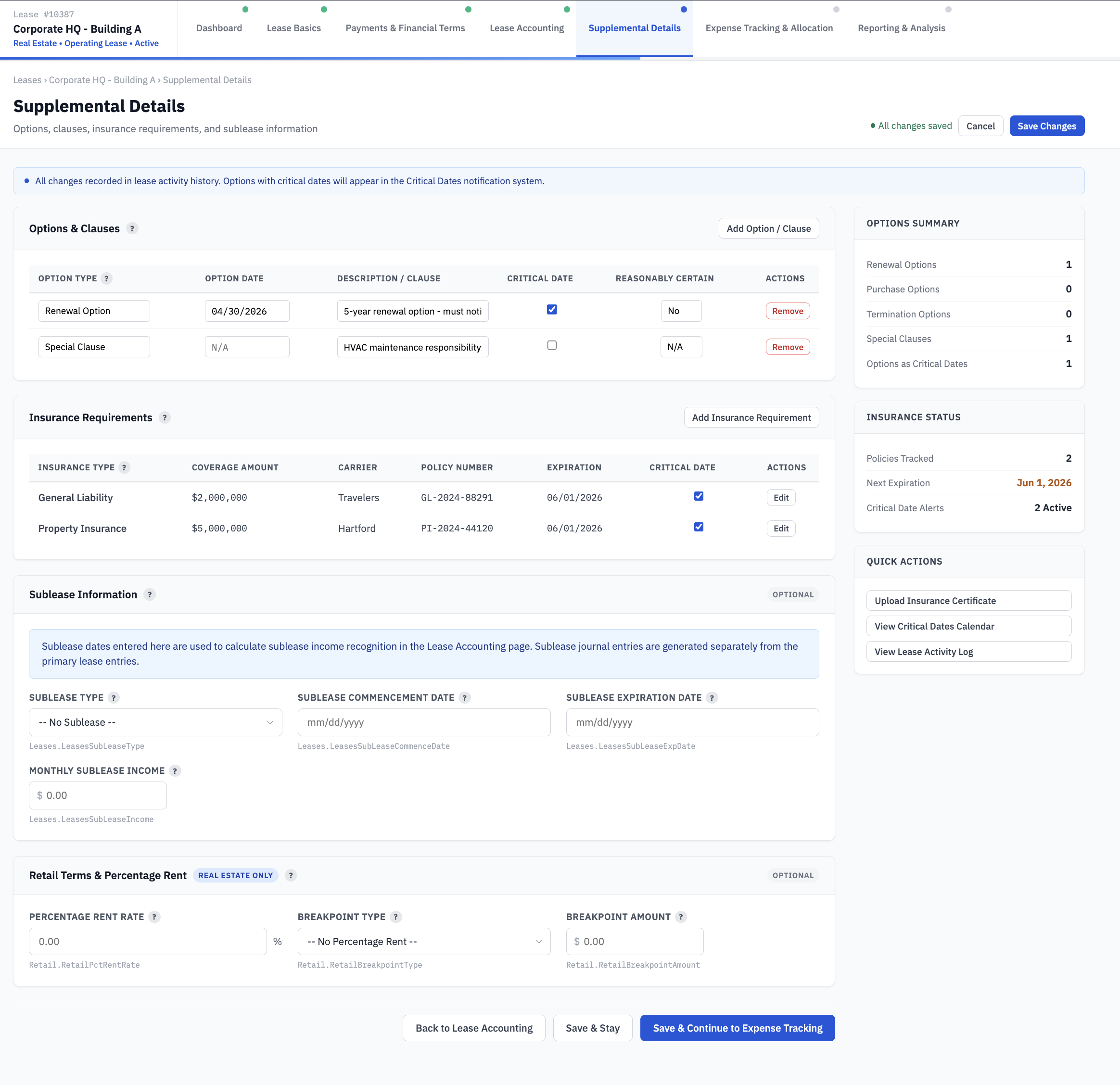
Supplemental Details
Manage lease options and clauses with critical date toggles, plus lessee and lessor insurance requirements across general liability, umbrella, workers comp, auto, property, and business interruption categories. Real Estate leases only.
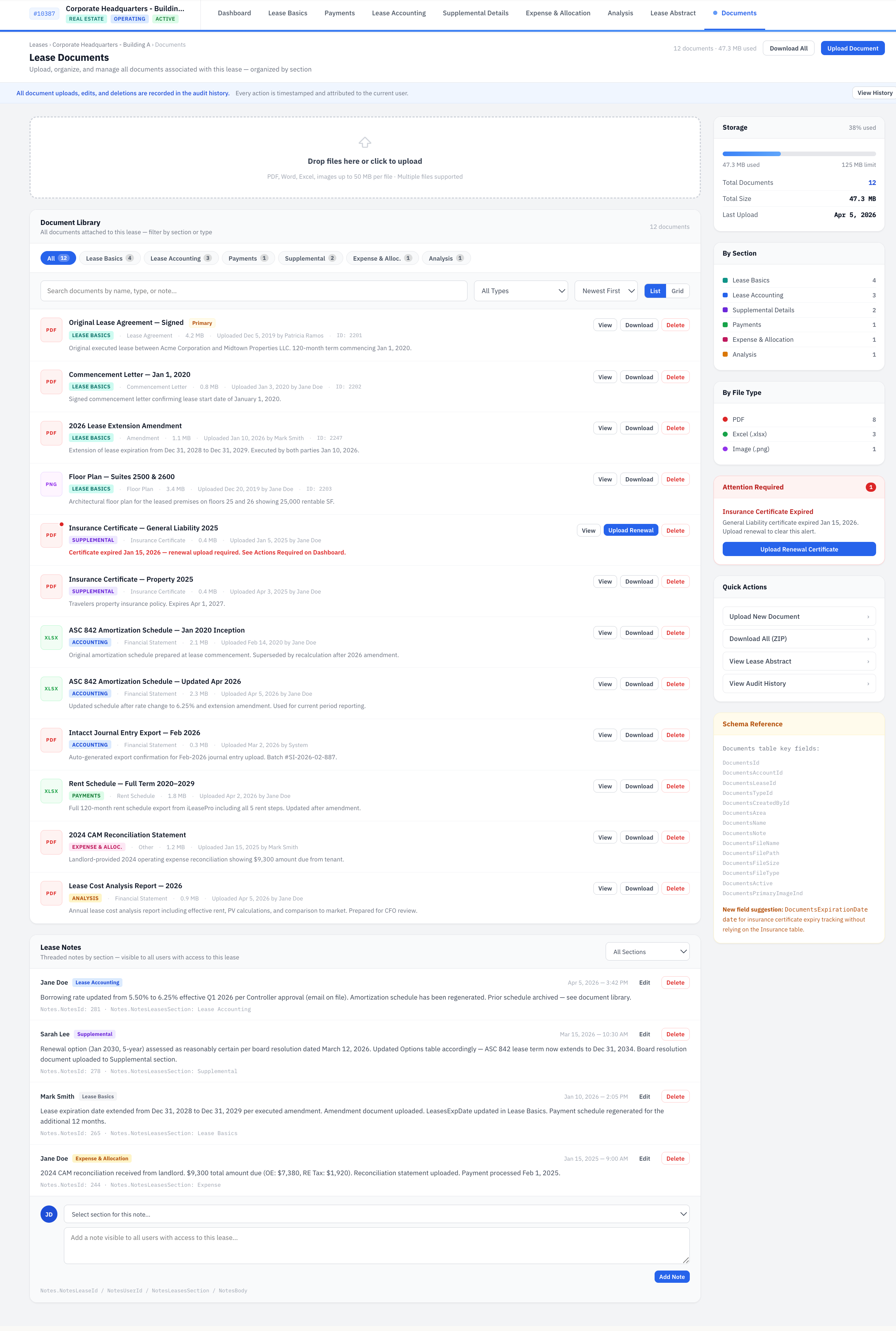
Documents
Upload, organize, and manage documents by area with filtering by section, file type indicators, batch drag-and-drop upload, search and sort, download and preview capabilities, and automatic thumbnail generation for images and PDFs.
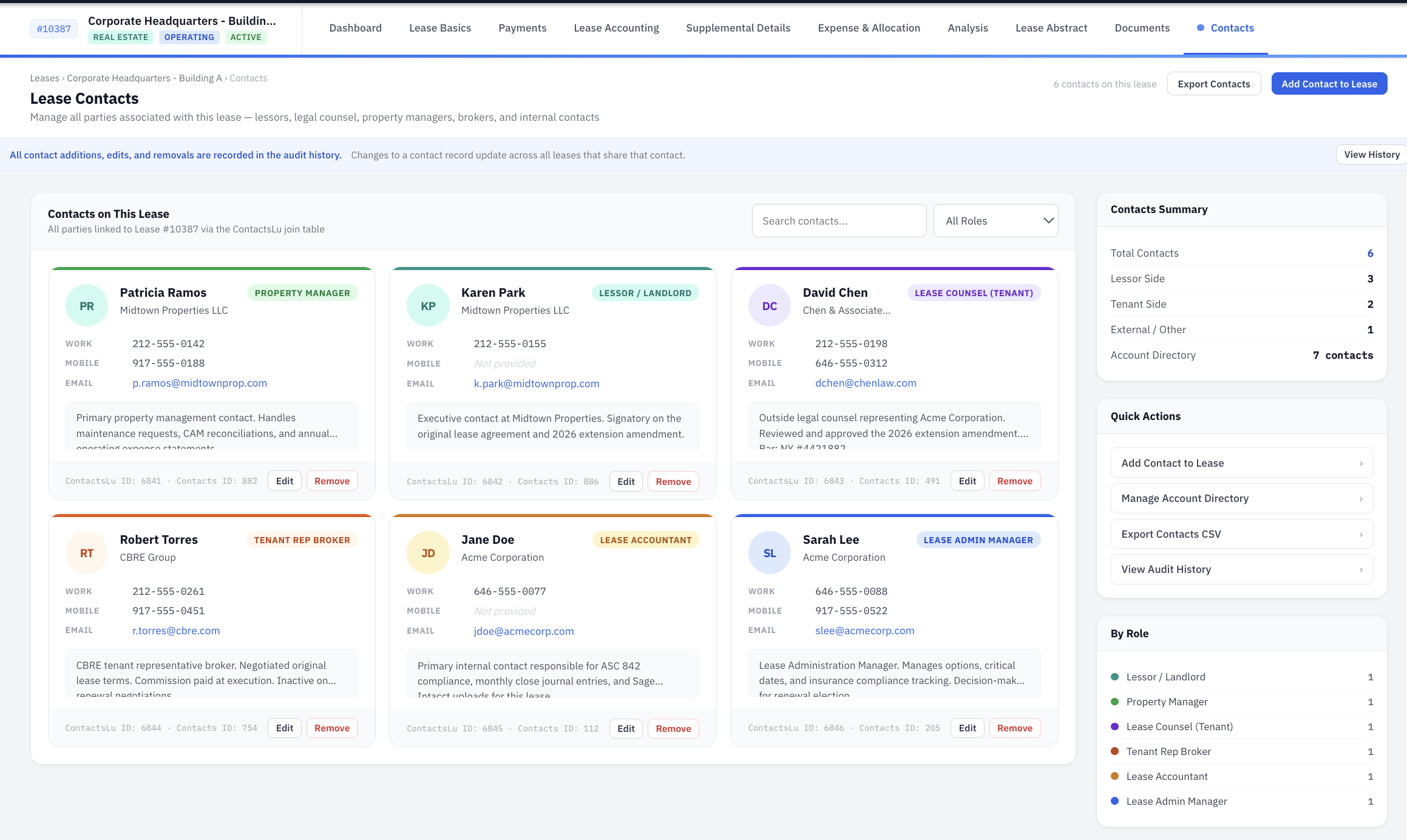
Contacts
Manage all contacts associated with a lease — landlords, property managers, legal counsel, and brokers — with role-based filtering, add/edit modals, associated lease views, and delete confirmation with multi-lease warnings.
Notes & Activity
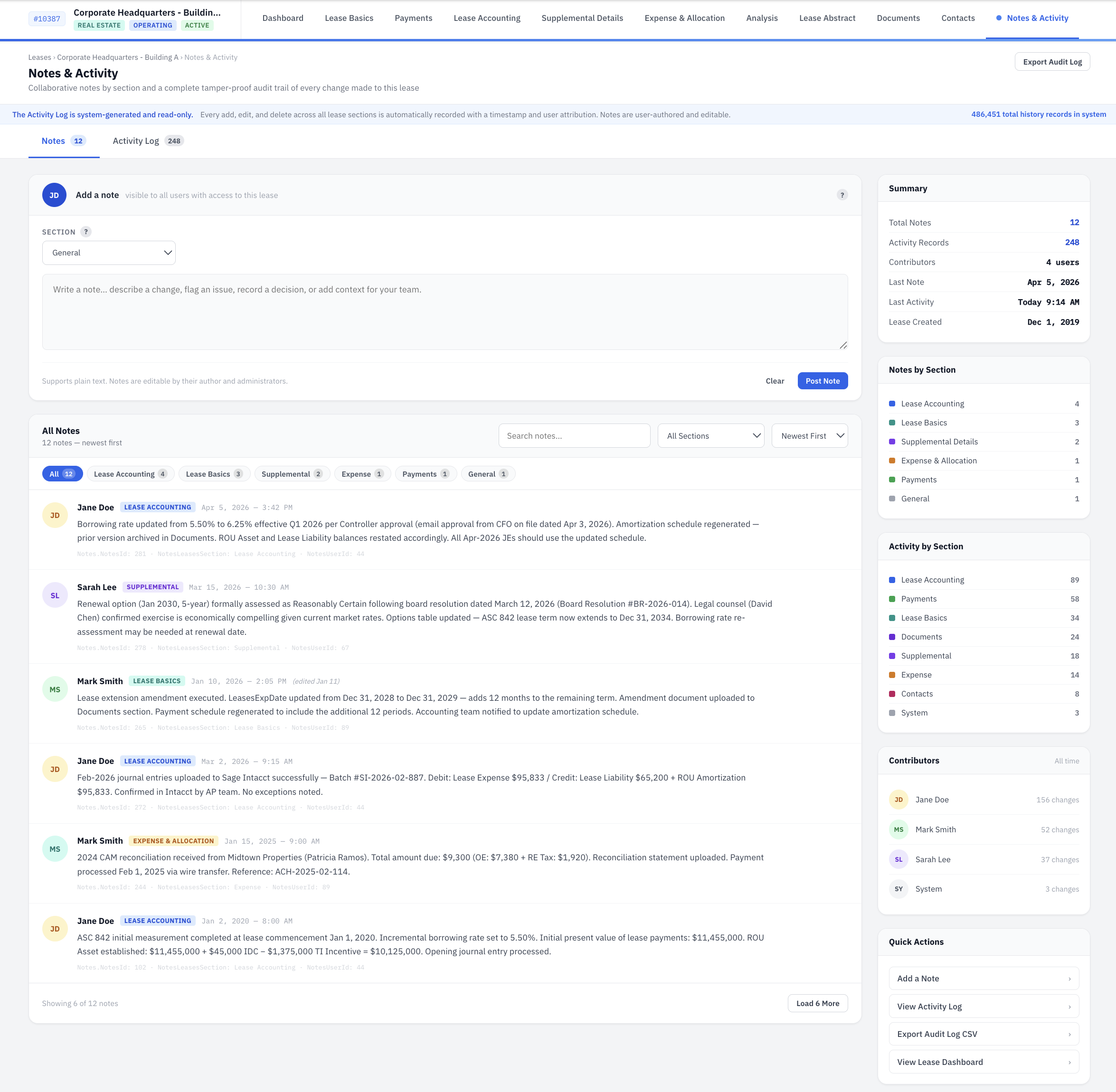
Track notes filtered by section and type — internal, landlord communication, accounting, legal, reminders — with priority indicators, private flags, and a full activity log showing field-level change tracking with old and new values.
Abstract
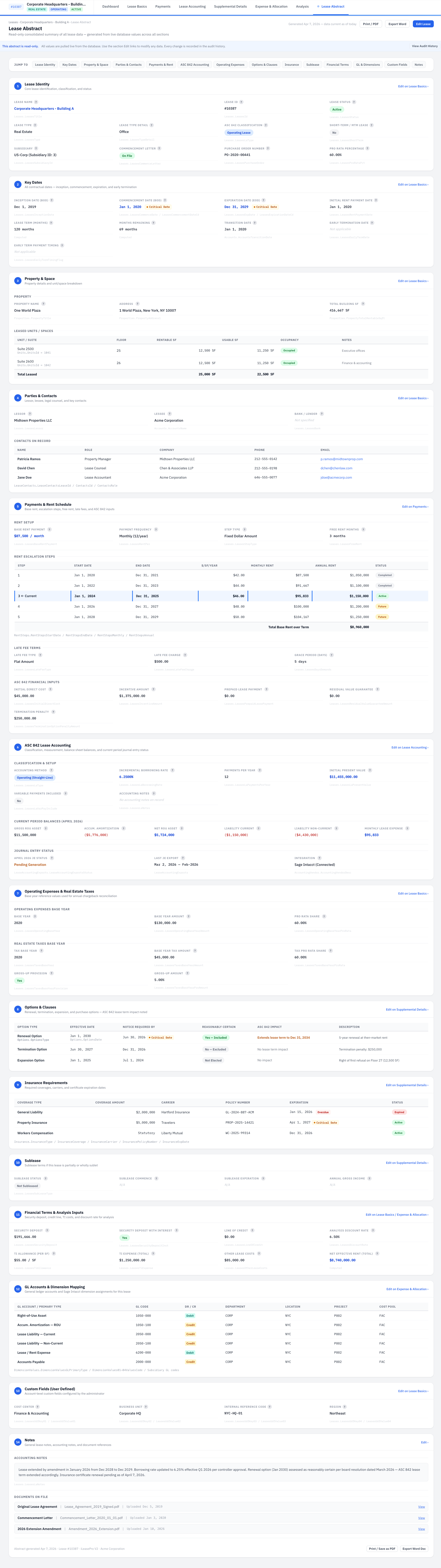
Printable one-page summary of all key lease terms for board presentations and due diligence — with Real Estate and Equipment toggle views, image gallery with lightbox, confidential banner, and print-friendly layout covering every lease section.
Analysis
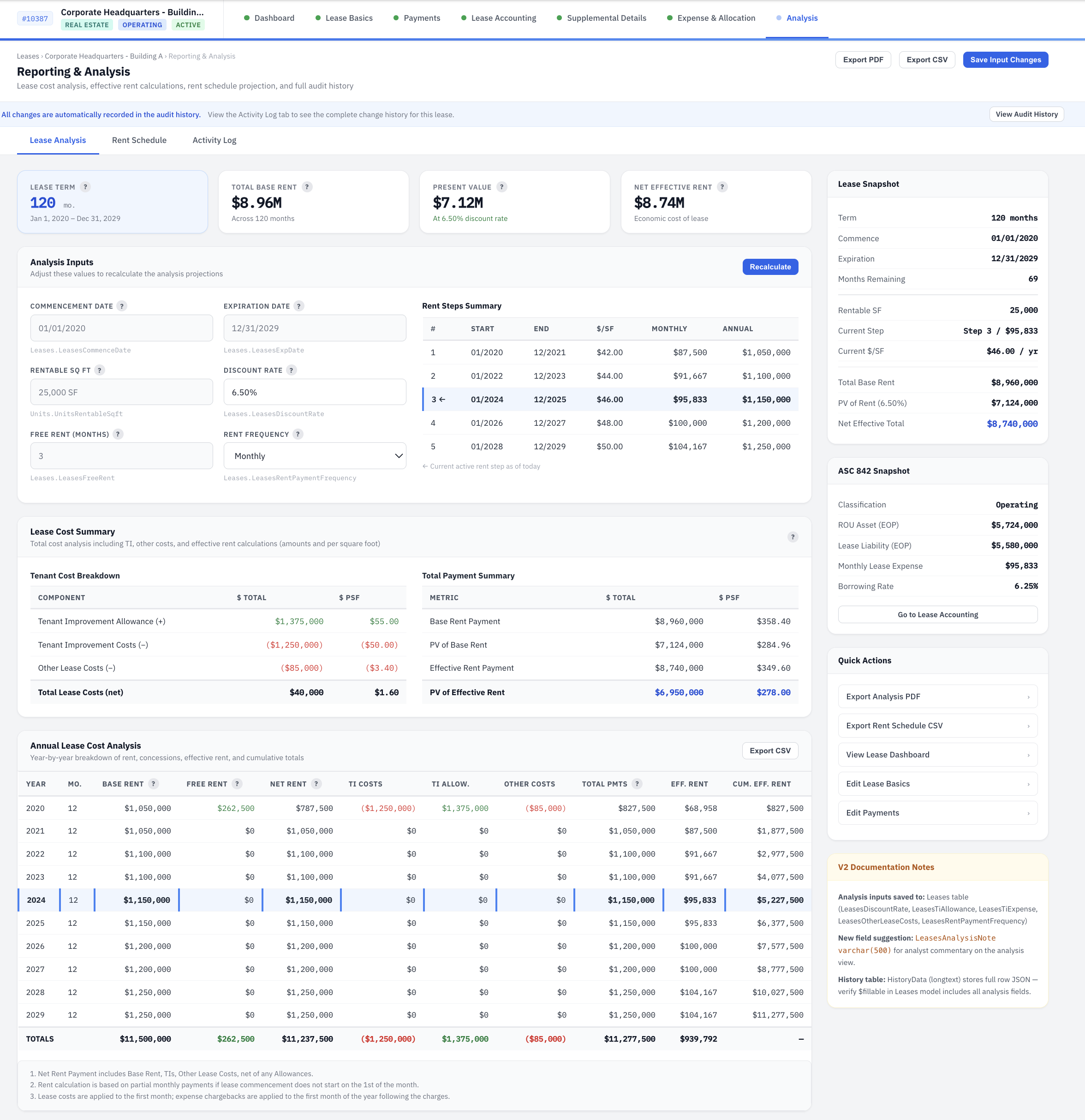
Comprehensive financial analysis with effective rent calculations, NPV sensitivity at multiple discount rate variations, occupancy cost analysis, year-by-year cash flow tables, early termination scenario comparisons, and lease vs. buy analysis for Equipment leases.
Want to Be Among the First to Experience V2?
Schedule a demo with our team. We will walk you through what is live today and give you a preview of what is coming next.
Schedule a Demo